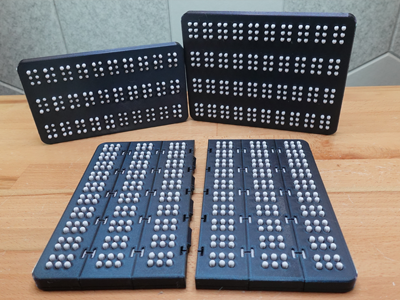
Tool for writing/reading Braille
Customization
Dot Sizes
- Default (4.5mm)
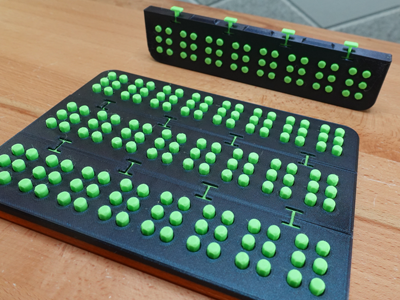
10 cells per row - Large (6mm)
8 cells per row
Construction Options
- Merged
Print pre-built sheets in common sizes. - Unmerged
Layout custom sized sheets within your slicer. - Linkable
Assemble custom sized sheets after printing.
Printing
- All parts can be printed without supports
- Cases are printed upside down (walls facing up) so there is no bridging
- 92A durometer or softer TPU is recommended for all flexible parts
- Print buttons in PLA or other rigid material
- 2 perimeter walls is sufficient for all flexible parts, but additional perimeters may provide better results if the buttons feel too loose
Assembly
- Press fit buttons into the case.
- If assembling a linkable Braille sheet, secure rows together by inserting a link lock into the H-shaped holes that straddle each row. Press the link in so it sits 2mm below the Braille sheet's surface.
Reading Orientation
To help with identifying reading orientation, a small vertical groove is carved into the side wall of every row.
Filament
You can get drastically different results depending on what filaments you use for the flexible parts of this design. This video by Filament Stories includes some recommended options.